

Top Hootsuite alternatives
Hootsuite is one of the leading social media management platforms. It is also one of the most expensive. Billed annually, the standard plan costs $99 per user per month, with the advanced plan running a staggering $249 per user per month.
But price isn’t the only reason to seek out a different tool. Here, we compare 10 top Hootsuite alternatives. We looked at everything from the publishing workflows and collaboration features to analytics and reporting capabilities. We also took a deep dive into pricing options to better understand the value for money spent.
Each alternative includes an overview, key features, how it works, pros and cons, pricing, and G2 ratings. Use the guide to identify the right platform for your business and level up your productivity.
The best Hootsuite alternatives at a glance
 Sprout Social |  Agorapulse |  Sendible |  Zoho Social |  Buffer |  SocialPilot |  Loomly |  Later |  Statusbrew |  Eclincher | |
|---|---|---|---|---|---|---|---|---|---|---|
| Best for | Enterprise listening and analytics | Agencies and inbox workflows | Client workflows and reporting | Teams already on Zoho | Simple scheduling for small and medium businesses | Budget option for small teams | Brand consistency and collaboration | Instagram and TikTok visual planning | Compliance and team governance | Publishing and monitoring in one place |
| Key features | Unified inbox, advanced reports | Social inbox, team collaboration, ROI reports | Client account management, white-label reports | Zoho CRM integration, affordable plans | Easy queue scheduling, “link in bio” tool | Low-cost multi-user plans, content curation | Post mockups and approvals, brand asset library | Visual content calendar, “link in bio” tool | Robust approval flows, automated content moderation | Unified inbox and feeds, automation |
| Starting price | $199 per seat per month | $79 per user per month | $29 per month | $10 per month (billed annually) | Free forever | $25.50 per month (billed annually) | Free | $16.67 per month (billed annually) | $69 per month (billed annually) | $149 per month |
| Free plan/trial | 30-day free trial | 30-day free trial | 14-day free trial | 15-day free trial | Free version available | 14-day free trial | Free version available | 14-day free trial | 14-day free trial | 14-day free trial |
How to choose the right Hootsuite alternatives
When looking for an alternative to Hootsuite, think about factors like
- Team size
- Social channels
- Workflow needs
If you’re a solo creator or oversee a small business, you might prioritize factors like ease of use and price. But if you’re part of a larger agency, your priorities may include client collaboration, approval workflows, and reporting. Enterprise teams often require advanced analytics, which means going with a platform like Sprout Social or Statusbrew.
Think also about which features matter most to your business. Do you need an integrated social inbox? Are social media analytics tools at the top of your list? Once you know what features will deliver the best value for you specifically, you can narrow your search to two or three Hootsuite alternatives.
1. Sprout Social: Best for enterprise listening and analytics
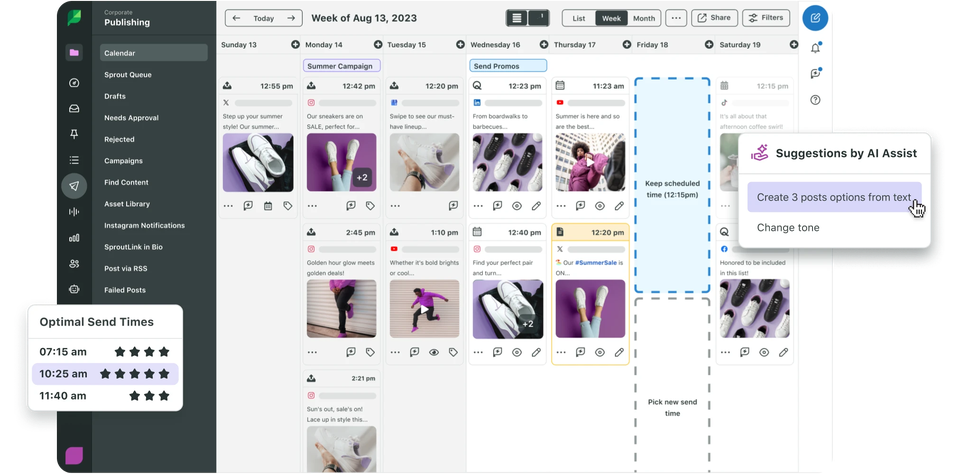
Sprout Social is a premium social media management platform geared toward mid-sized to enterprise organizations that need robust features. It offers comprehensive tools for publishing, customer engagement, and collaboration. The analytics and social listening tools are particularly valuable if your team requires in-depth reporting and multi-network listening insights.
Explore our Sprout Social alternatives for a deeper dive into the competition.
- How it works: Sprout provides a unified smart inbox for all social messages and comments, making community management easier; its publishing module includes a content calendar and scheduling with optimal send times, plus workflow features for drafting and approval; Sprout Social shines in analytics and reporting, as you get customizable reports on audience growth, engagement, and competitor metrics; the platform also has a powerful social listening tool (as an add-on) to monitor brand mentions and industry trends in real time
- Key features: Social listening, customizable reports, adjustable dashboards, artificial intelligence (AI) features to help with content suggestions and replies
- Pros: Unified inbox with tagging and sentiment indicators, scalability for teams, integrations with customer relationship management (CRM) tools, help desk, polished and professional interface
- Cons: High cost per user, no free plan, high starting price comparable to Hootsuite
- Plans/pricing:
- Standard ($199 per seat per month)
- Professional ($299 per seat per month)
- Advanced ($399 per seat per month)
- Enterprise (custom pricing)
- G2 rating: 4.4/5
2. Agorapulse: Best for agencies and inbox workflows
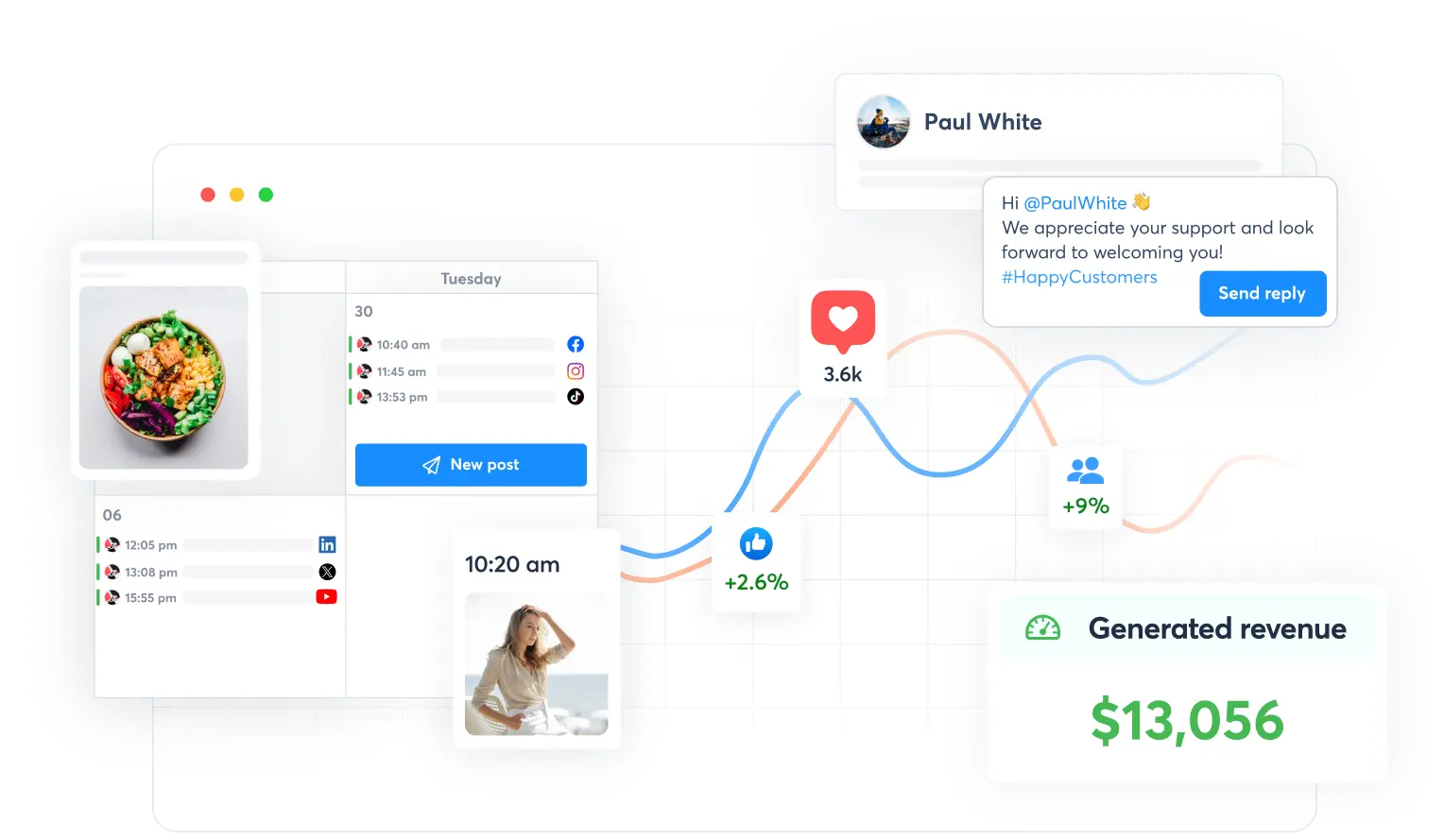
Agorapulse is a versatile social media management tool popular with agencies and teams that manage multiple client accounts. It’s known for its unified inbox that aggregates messages, comments, and reviews across platforms, along with strong collaboration features.
The platform also provides content scheduling, basic listening, and a unique social media ROI reporting tool to measure the impact of social campaigns.
- How it works: Agorapulse’s dashboard centers around the social inbox, where you can respond to Facebook comments, X mentions, Instagram DMs, and more; you can tag and assign conversations to team members, which is invaluable for customer support workflows; the publishing tool lets you schedule or queue posts across networks, and it supports content categories and queued recycling
- Key features: Unified inbox with labeling feature, scalability, unique ROI calculator
- Pros: Helps your team manage a high volume of incoming messages, supports multiple users with role-based access, pulls Facebook and Instagram ad comments into the inbox
- Cons: Plans are priced per user, limited listening on lower plans, can become expensive as you add team members
- Plans/pricing:
- Standard ($79 per user per month)
- Professional ($119 per user per month)
- Advanced ($149 per user per month)
- Custom (custom pricing)
- G2 rating: 4.5/5
3. Sendible: Best for client workflows and reporting
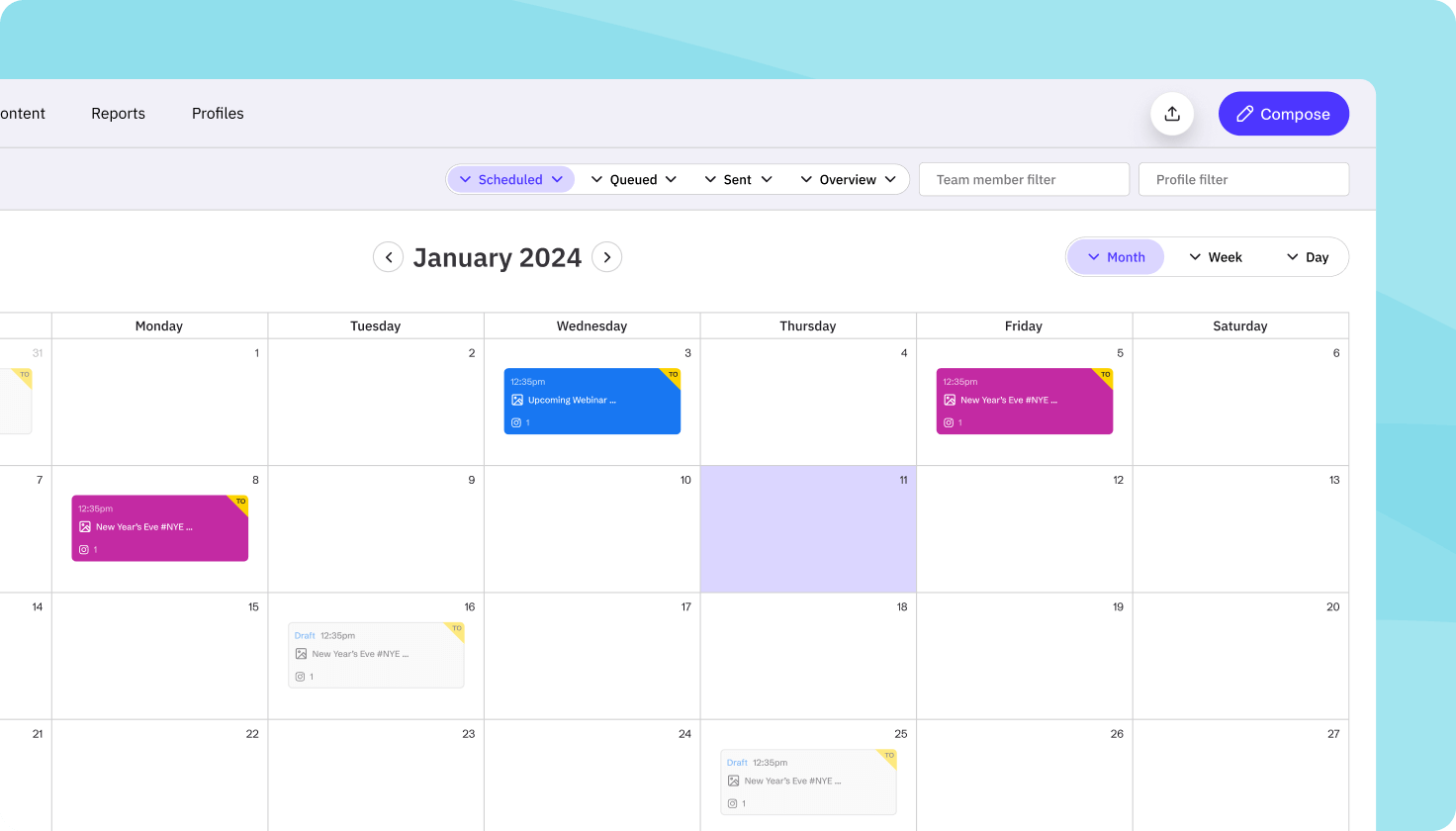
Sendible is among the most popular social media analytics tools, built for agencies and consultants who need robust client management capabilities. It supports all major social networks and blogging platforms, but stands out with features like customizable dashboards and extensive reporting options.
- How it works: You can group social profiles into client-specific clusters to keep your campaigns organized; the publishing workflow includes a content library, scheduling, and an approval system for clients to review posts via email
- Key features: Priority inbox consolidates incoming messages, built-in CRM records notes on influencer and customer interactions, flexible analytics
- Pros: Separate dashboards for each client, strong reporting features, built-in content curation
- Cons: Steep user interface learning curve, limited listening capabilities, gaps in the feature set that may need to be filled with other applications
- Plans/pricing:
- Creator ($29 per month)
- Traction ($89 per month)
- Scale ($199 per month)
- Advanced ($299 per month)
- Enterprise ($750 per month)
- G2 rating: 4.5/5
4. Zoho Social: Best for teams already on Zoho
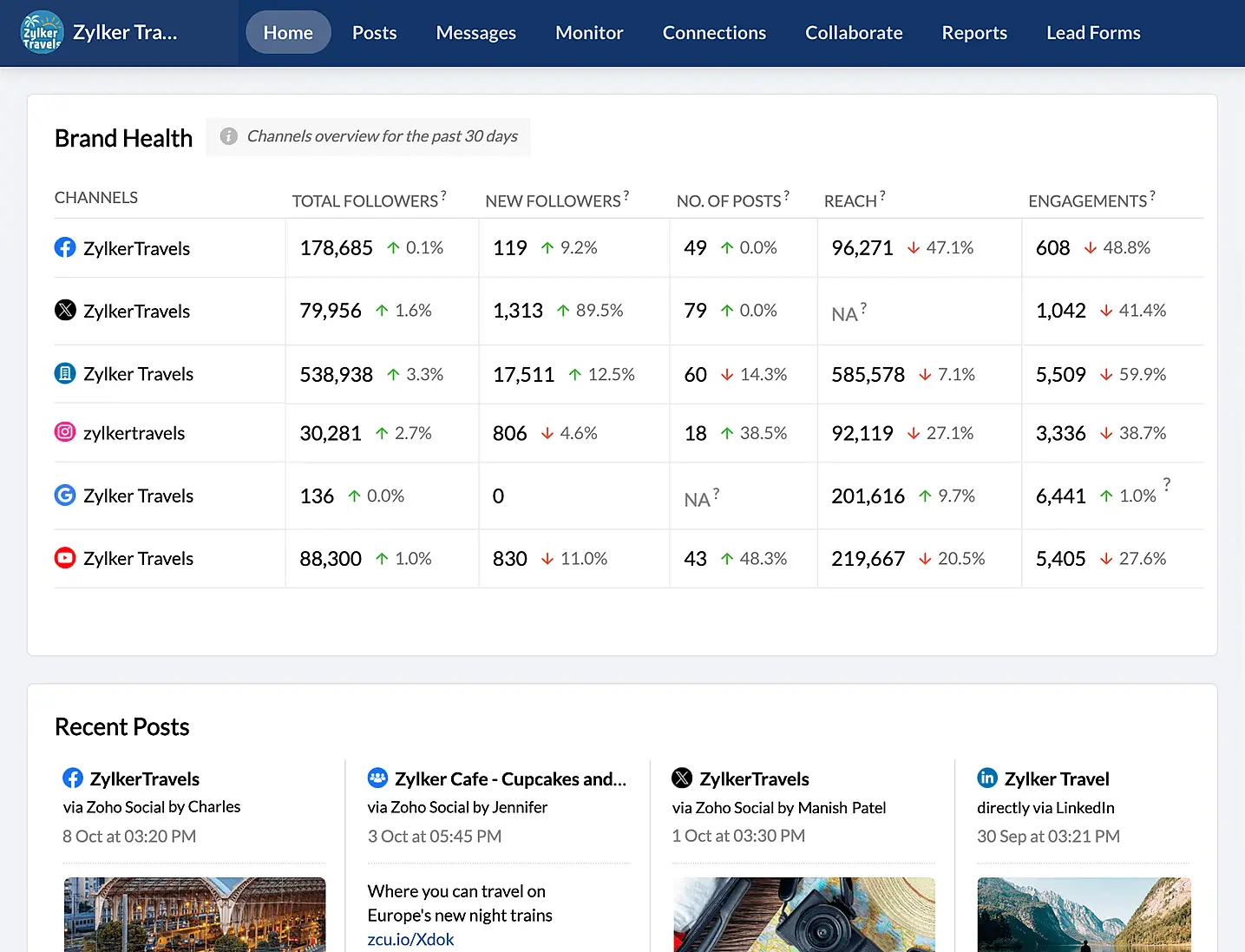
Zoho Social is part of the Zoho business software suite and offers social media management at a budget-friendly price. It’s great for small to medium-sized teams — especially those who are already using other Zoho products — and covers the basics you need to manage your social platforms more efficiently.
- How it works: Drag and drop posts using the content calendar or review your schedule at a glance; Zoho Social supports publishing to Facebook, Instagram, X, LinkedIn, and more
- Key features: Integration with Zoho CRM, scalable design, monitoring tab to set up custom streams
- Pros: Affordable multi-user plans, Zoho system integration, unlimited scheduling in all plans, clear and straightforward interface
- Cons: Some advanced features are lacking, few direct integrations outside of the Zoho ecosystem
- Plans/pricing:
- Free
- Standard ($10 per month)
- Professional ($30 per month)
- Premium ($40 per month)
- G2 rating: 4.6/5
5. Buffer: Best for simple scheduling and analytics for small and medium businesses
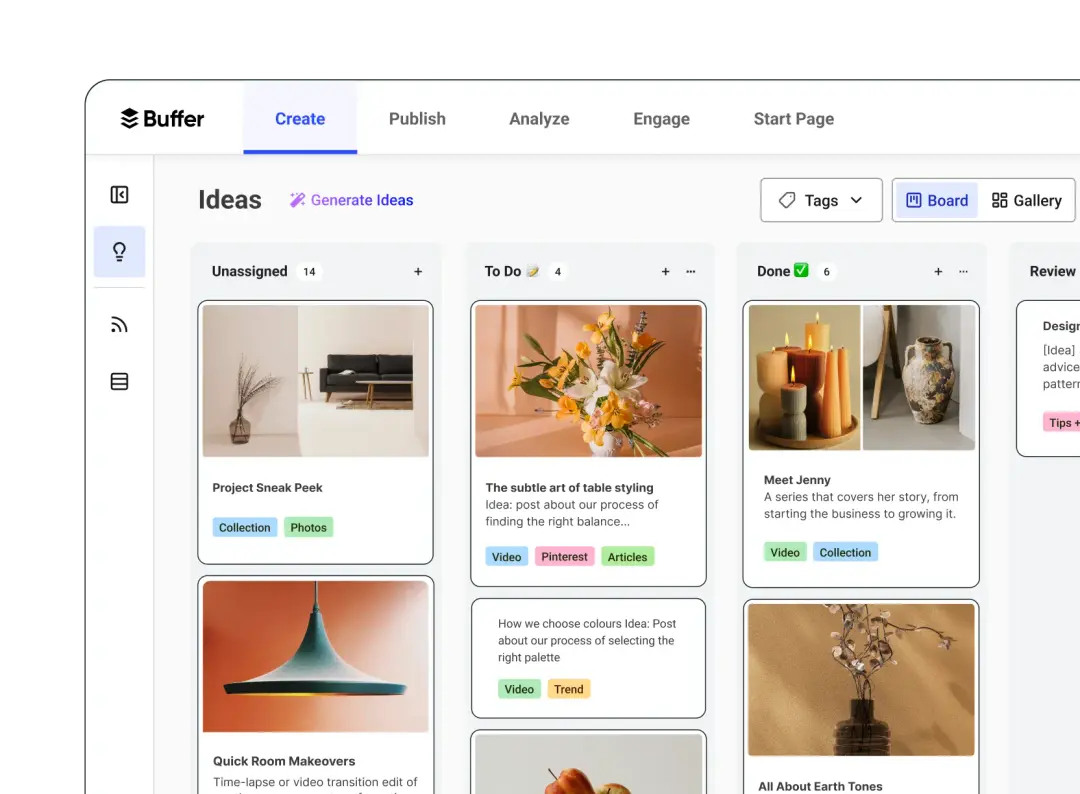
Buffer is a veteran social media scheduling platform known for being easy to use. It’s a great choice for small businesses, individuals, or content creators — covering publishing and basic analytics, as well as added engagement tools. Check out Buffer alternatives for similar software.
- How it works: Buffer’s core feature is its publishing queue, which allows you to define posting times for each connected social account; whenever you add content to the queue, Buffer auto-schedules it to the next slot
- Key features: “Link in bio” tool, AI assistant, drag-and-drop scheduling
- Pros: Easy and intuitive to use, short learning curve, affordable, supports all major platforms
- Cons: Limited features beyond publishing, team collaboration is restricted to paid plans, you may need additional tools
- Plans/pricing:
- Free forever
- Essentials ($5 per month, billed annually)
- Team ($10 per month, billed annually)
- G2 rating: 4.3/5
6. SocialPilot: Best budget option for small to medium businesses
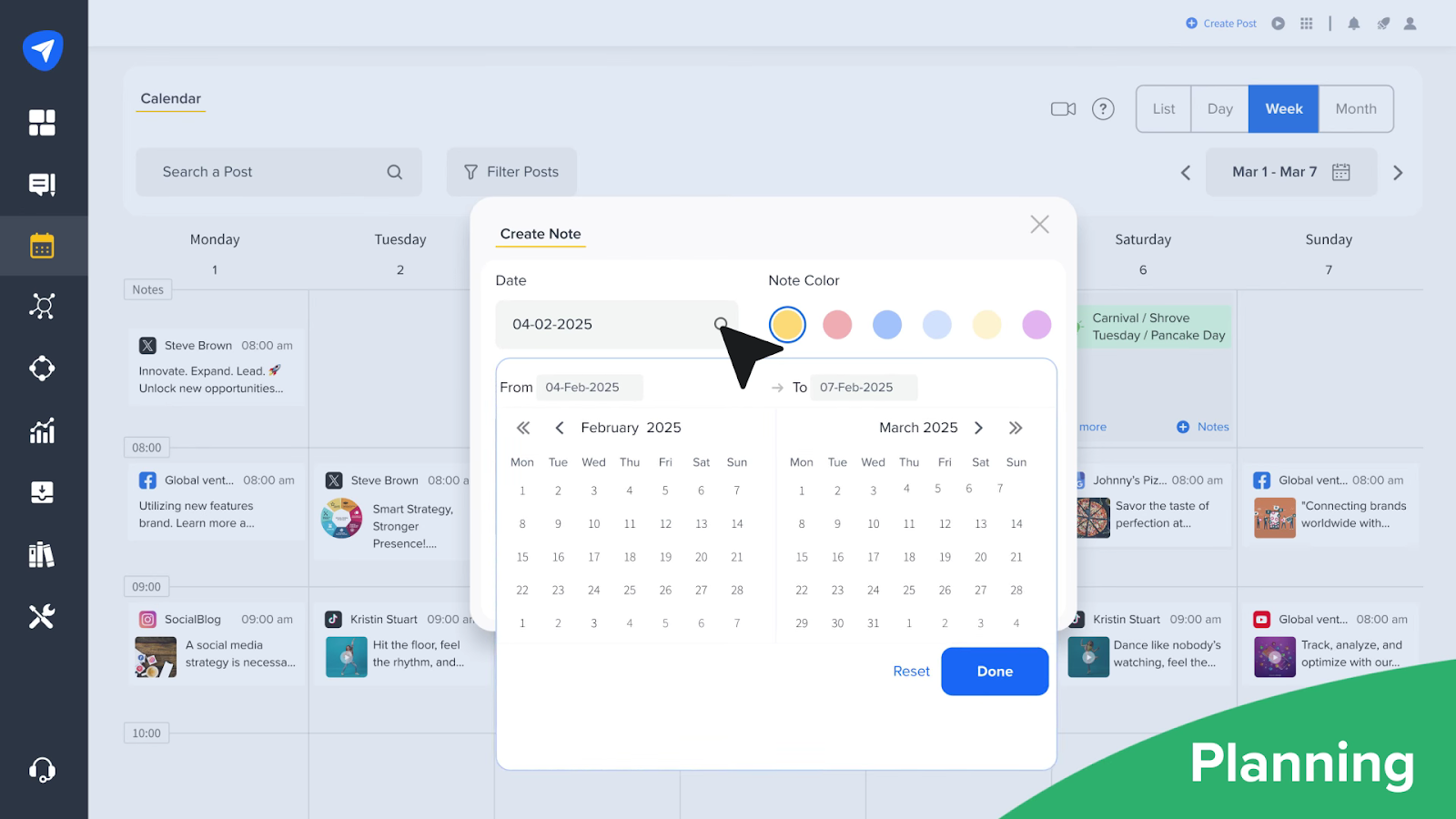
SocialPilot is a low-cost social media management tool that offers surprising bang for your buck. It’s best for small to mid-sized teams or agencies on a budget. If you need multi-user access and lots of social accounts, SocialPilot is a great fit.
- How it works: The home dashboard gives you an overview of recent posts and connected accounts; the content and publishing section includes a calendar view and bulk scheduling options; SocialPilot features a social inbox that aggregates comments and messages, too
- Key features: Aggregated inbox, collaboration invites, bulk uploads
- Pros: Cost-effective for teams, user-friendly client management features, unlimited scheduling, post recycling, functional and relatively easy-to-navigate interface
- Cons: The interface is less polished than higher-priced options, the social inbox is limited, doesn’t support X or TikTok
- Plans/pricing:
- Essentials ($25.50 per month, billed annually)
- Standard ($42.50 per month, billed annually)
- Premium ($85 per month, billed annually)
- Ultimate ($170 per month, billed annually)
- G2 rating: 4.5/5
7. Loomly: Best for brand consistency and collaboration
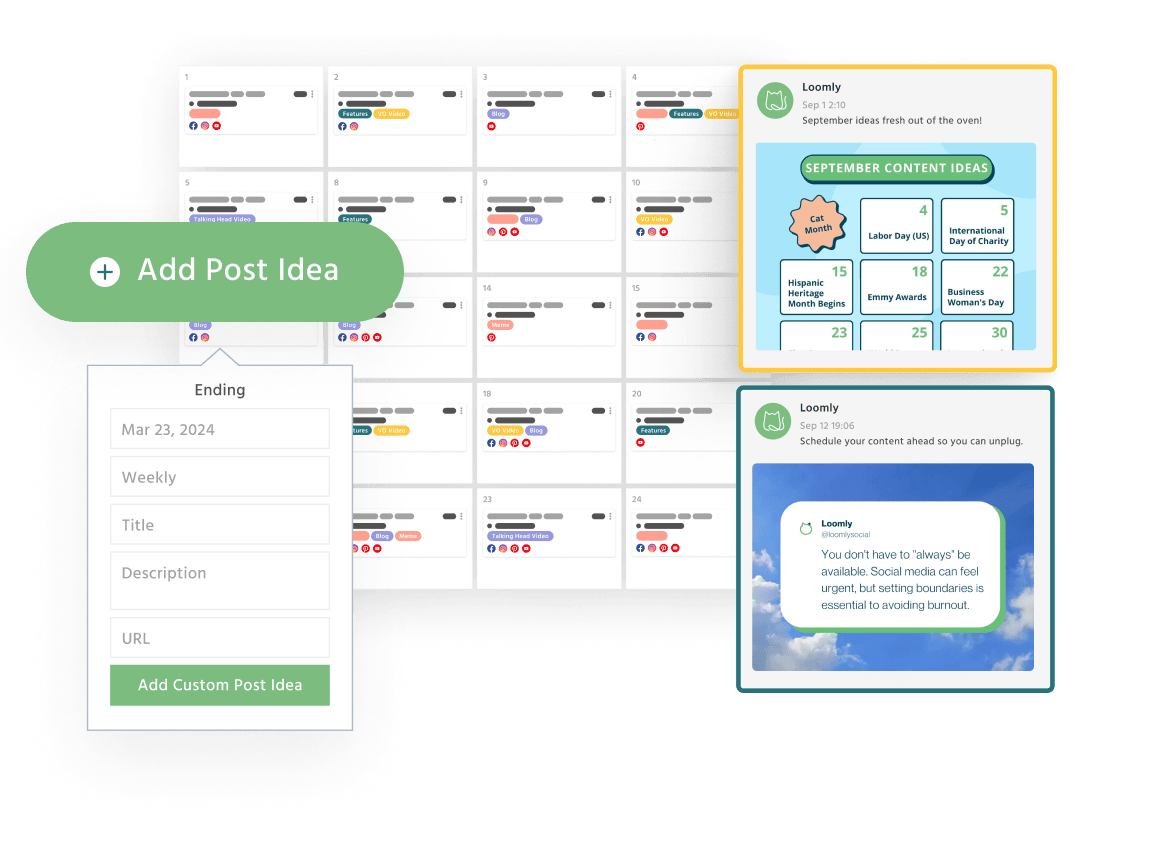
Loomly is a popular social media calendar and scheduling tool. It’s well-liked by marketing teams and agencies focused on content planning and brand consistency. The collaborative workspace will help your team use their combined skills to plan campaigns and drive results.
- How it works: In Loomly, everything revolves around the calendar; you create a calendar for each brand or client, and Loomly helps you brainstorm with features like post ideas; when creating a post, you can save it as a draft, have team members comment on it, and mark it ready for approval
- Key features: Brand asset library, analytics tools, friendly user interface
- Pros: Great collaboration workflow, visual planning, previews, content library with suggestions and brainstorming tools
- Cons: Recent price jumps, limited social listening features, lacking a few tools offered by competitors
- Plans/pricing: Contact Loomly for information on plans and pricing
- G2 rating: 4.6/5
8. Later: Best for Instagram and TikTok planning
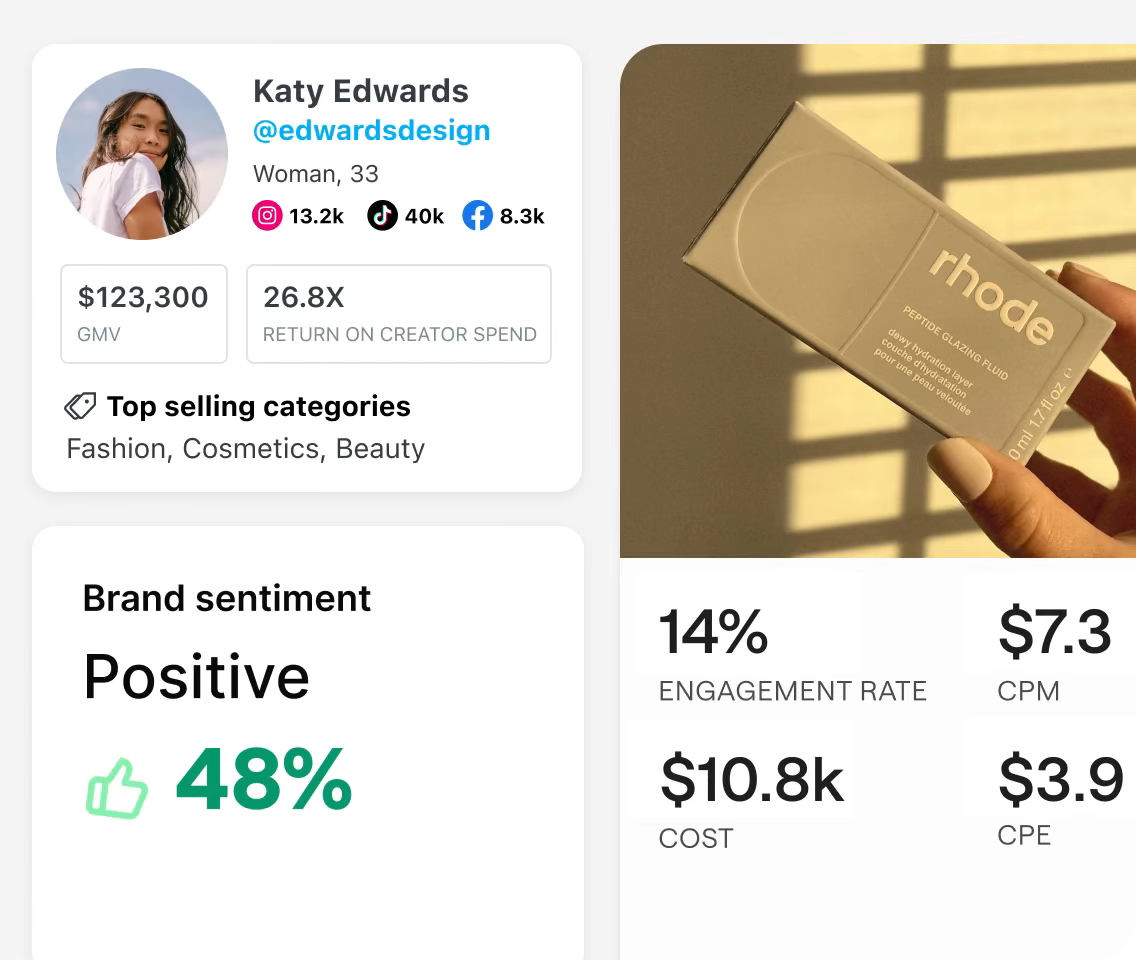
Later is a social media scheduling tool built for Instagram. Though it now supports most platforms, it’s still particularly popular among Instagram influencers and content creators.
Pro Tip
Mastering the content calendar will give you an edge over other social media managers. Explore our article on how to make a social media calendar to learn more.
- How it works: Later provides you with a calendar where you can easily drag photos or videos onto dates and times and schedule them; you actually see a preview of your Instagram grid, which is helpful for maintaining an aesthetic feed
- Key features: Drag-and-drop calendar, preview tools, lots of integrations
- Pros: Great for TikTok and Instagram, content storage, multi-platform post scheduling
- Cons: Limits how many posts you can schedule, minimal analytics, free plan offers almost no features
- Plans/pricing:
- Starter ($16.67 per month, billed annually)
- Growth ($33.33 per month, billed annually)
- Scale ($73.33 per month, billed annually)
- G2 rating: 4.5/5
9. Statusbrew: Best for compliance and team governance
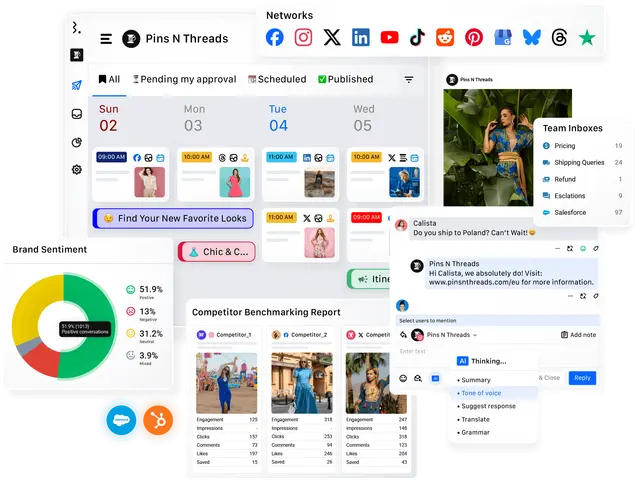
Statusbrew is a full-featured social media management platform. It gives you strict oversight and comprehensive features, and its enterprise tools are particularly great for large businesses and social media management agencies.
- How it works: The platform is organized around core modules; you can create posts, schedule content, and track engagement
- Key features: Multiple modules, keyword tracking, customizable analytics capabilities
- Pros: Robust team governance, full customer engagement suite, fair pricing for features
- Cons: Lesser known, initial setup can be tedious, not plug-and-play
- Plans/pricing:
- Lite ($69 per month, billed annually)
- Standard ($129 per month, billed annually)
- Premium ($229 per month, billed annually)
- Enterprise (custom pricing)
- G2 rating: 4.9/5
10. Eclincher: Best for publishing and monitoring in one place
As an all-in-one social media management tool, Eclincher appeals to users, creators, and agencies. The platform is known for offering tons of features that give you precise control over your social media presence.
- How it works: You can schedule posts normally or set up smart queues to time content precisely — just give yourself plenty of time to learn your way around the platform
- Key features: Auto posts, visual calendar, libraries of posts
- Pros: All-in-one platform, queue and recycle features, deep monitoring
- Cons: High base price, complex interface
- Plans/pricing:
- Standard ($149 per month)
- Professional ($349 per month)
- Enterprise (custom pricing)
- G2 rating: 4.6/5
Pick the right social media management solution
As you evaluate these Hootsuite alternatives, use our insights to identify the ideal fit for your business. Remember that the right choice depends on your team size, workflow complexity, and amount of money you’re willing to invest. Teams with an eye on budget often prefer Buffer or Zoho Social, agencies may need the robust features of Loomly and Statusbrew, and enterprises will typically require the advanced analytics offered by Sprout Social and Sendible.
Beyond choosing a management platform, consider how to streamline your broader social media operations. Jotform is one of the best digital marketing tools available, complementing your social media management by improving content intake and collaboration. Explore Jotform for free today to learn more.
Social media managers, marketing teams at SMBs and mid‑market companies, agencies that manage multiple clients, and enterprise teams comparing Hootsuite with lower‑cost or more specialized tools.











Send Comment: