

Ticketverkauf
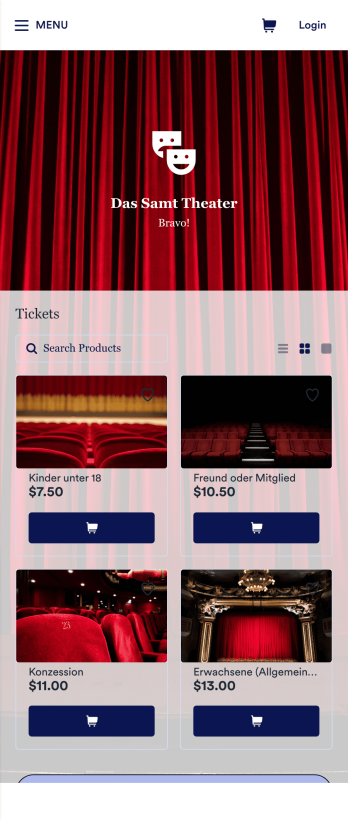
Ticket Verkauf App
Entdecken Sie die beste Möglichkeit, Tickets online zu verkaufen - mit der kostenlosen Ticketverkaufs-App von Jotform. Egal, ob Sie Tickets für eine Tombola, ein Konzert, ein Theaterstück oder eine andere Art von Veranstaltung verkaufen, Sie können einen Online-Shop erstellen, in dem Sie Ihre Tickets, Preisstufen, Beschreibungen Ihrer Veranstaltungen, Fotos und vieles mehr auflisten. Sobald Sie Ihre App nach Ihren Wünschen angepasst haben, können Sie sie als herunterladbare App für iOS und Android zur Verfügung stellen oder sie in Ihre Website einbetten, um sie in jedem Internetbrowser zu nutzen. Möchten Sie diese Ticketverkaufs-App zu Ihrer eigenen machen? Per Drag & Drop können Sie das Design des Shops ändern, indem Sie Ihr Logo hochladen, ein neues App-Symbol oder einen neuen Hintergrund auswählen oder neue Schriftarten oder Farben auswählen. Alle Ticketbestellungen über die App werden sicher in Ihrem Jotform-Konto gespeichert, sodass Sie sie in einer leistungsstarken Online-Plattform verfolgen können. Nehmen Sie keine Kartenbestellungen mehr per Telefon oder E-Mail entgegen, sondern erledigen Sie dies effizienter mit einer Ticketverkaufs-App.
Zur Kategorie:Ticketverkauf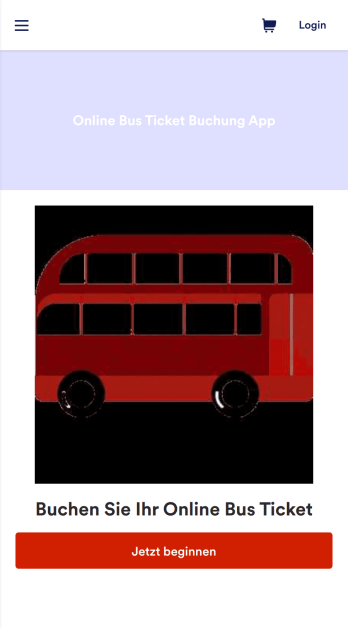
Online Bus Ticket Buchung App
Mit einer Busticketbuchungs-App können Benutzer Busse buchen, um ihr Ziel einfach, sicher und schnell zu erreichen. Eine Online-Buchungs-App für Bustickets ermöglicht es Kunden, Bustickets von jedem Smartphone, Tablet oder Desktop-Computer aus zu buchen. Sie möchten wissen, wie Sie Bustickets online verkaufen können? Kunden können Reservierungen online vornehmen, indem sie ein Formular mit ihrem Reiseziel, dem Abfahrtsdatum und allgemeinen Kontaktinformationen ausfüllen. Sie können ihre Tickets auch über Ihre App stornieren, indem sie eine eindeutige Bestellnummer oder ID verwenden, die sie auf ihrem ursprünglichen Ticket finden. Busreservierungen werden sofort synchronisiert und in Ihrem sicheren Jotform-Konto gespeichert, das Sie von Ihrem Dashboard aus durchsuchen und sortieren können. Möchten Sie Änderungen an dieser App-Vorlage vornehmen? Mit dem App-Generator von Jotform können Sie mit nur wenigen Klicks eine vollständig angepasste App erstellen. Fügen Sie einfach per Drag & Drop Formularelemente hinzu, wählen Sie Schriftarten und Farben aus, laden Sie das Branding Ihres Busunternehmens hoch, integrieren Sie Zahlungsportale für die Annahme von Online-Zahlungen und vieles mehr - und das alles ganz ohne Programmierkenntnisse. Geben Sie Ihre benutzerdefinierte App an Ihre Kunden weiter, indem Sie einen Link auf Ihrer Website oder in sozialen Medien einbetten oder einen eindeutigen QR-Code generieren, den Sie außen an Ihrem Busbahnhof anbringen. Geben Sie Ihren Kunden eine einfache Möglichkeit, im Voraus zu buchen - mit dieser Online-Busticketsbuchungs-App von Jotform.
Zur Kategorie:Ticketverkauf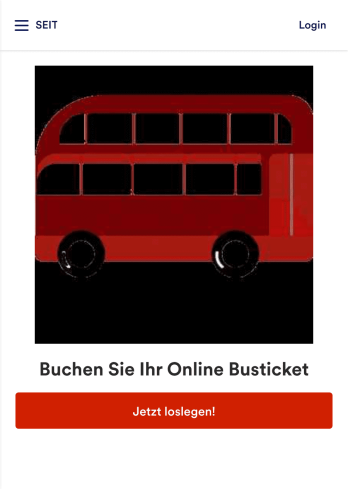
Bus Ticket Buchung App
Mit einer Bus Ticket Buchung App können Nutzer Busse buchen, um Ziele einfach, sicher und schnell zu erreichen. Eine online Bus Ticket Buchung App ermöglicht es Kunden, Bustickets von jedem Smartphone, Tablet oder Desktop Computer aus zu buchen. Möchten Sie wissen, wie man Bustickets online verkauft? Kunden können Reservierungen online erstellen, indem sie ein Formular mit ihrem Ziel, Abreisedatum und allgemeinen Kontaktinformationen ausfüllen. Sie können Tickets auch durch die App stornieren, indem Sie eine einzigartige Bestellnummer oder ID von ihrem Ticket nutzen. Busreservierungen werden sofort synchronisiert und in Ihrem sicheren Jotform Konto gespeichert, wo Sie sie dann von Ihrem Dashboard aus filtern, durchsuchen und sortieren können. Wollen Sie diese Appvorlage ändern? Jotform’s Appgenerator macht es einfach, eine voll angepasste App in wenigen Klicks zu erstellen. Nutzen Sie einfach Drag & Drop, um Formularelemente hinzuzufügen, Schriftarten und Farben zu wählen, das Branding des Busunternehmens hinzuzufügen, Zahlungsportale für online Zahlungen zu integrieren und viel mehr — ganz ohne Programmierkenntnisse. Teilen Sie Ihre App mit Kunden, indem Sie einen Link auf Ihrer Website oder Social Media einbetten oder indem Sie einen einzigartigen QR-Code generieren, den Sie bei Ihrer Bushaltestelle anbringen können. Geben Sie Ihren Kunden mit dieser Bus Ticket Buchung App von Jotform eine einfache Art, Tickets im Voraus zu buchen.
Zur Kategorie:Ticketverkauf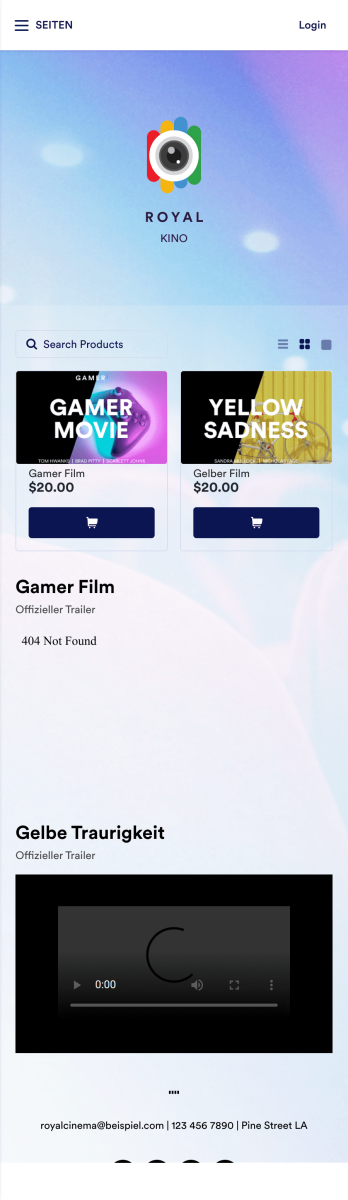
Online Kino App
Eine Online Kino App wird von Kinos genutzt, um Kunden die Möglichkeit zu geben, Tickets zu kaufen und Filmtrailer von jedem Smartphone, Tablet oder Desktop-Computer aus anzusehen. Die Online Kino App von Jotform ist der perfekte Weg, um eine All-in-One-App für die Verarbeitung von Online-Ticketverkäufen im Voraus zu erstellen, um die Besucherzahlen zu messen. Die Ticketverkäufe werden sofort in Ihrer sicheren Jotform-App gespeichert, um die Nutzung zu erleichtern. Passen Sie diese App-Vorlage mit dem intuitiven Appgenerator von Jotform an. Es sind keine Programmierkenntnisse erforderlich - fügen Sie einfach per Drag & Drop Formularelemente hinzu oder ändern Sie diese, wählen Sie Schriftarten und Farben, laden Sie Ihr Branding hoch, fügen Sie Filmplakate hinzu und vieles mehr. Sie können auch aus über 30 beliebten Jotform-Zahlungsportalen wählen, um Tickets direkt von Ihrer App aus zu bearbeiten. Wenn Sie fertig sind, teilen Sie Ihre App, indem Sie den App-Link auf Ihrer Website oder in den sozialen Medien veröffentlichen, oder generieren Sie einen QR-Code, den Sie an der Außenseite Ihres Kinos anbringen. Erstellen Sie ein individuelles Kinoportal und beginnen Sie mit dem Online-Verkauf von Kinotickets mit dieser kostenlosen Online Kino App, die auf jedem Gerät funktioniert.
Zur Kategorie:TicketverkaufÜber Ticketverkauf
Bringen Sie Ihren Ticketverkauf in wenigen Minuten online mit unserer App für den Ticketverkauf. Wählen Sie unten eine fertige Online-Shop-App aus, die Sie an Ihr Branding anpassen können – ganz ohne Programmierkenntnisse. Fügen Sie einfach per Drag-and-drop Ihr Logo hinzu, führen Sie Ihre Veranstaltungen und Tickets auf, und ändern Sie das App-Symbol und die Farbgebung, um ein individuelles Erscheinungsbild zu erhalten. Integrieren Sie dann einen von mehr als 25 Zahlungsabwicklern, einschließlich beliebter Plattformen wie Google Pay und Square, um Zahlungen online zu akzeptieren, ohne zusätzliche Gebühren an Jotform zu zahlen. Beginnen Sie noch heute mit dem Verkauf Ihrer Tickets mit den Jotform-Apps für den Ticketverkauf, die sowohl mit iOS als auch mit Android kompatibel sind.
Jotform Apps stands out as a premier no-code app builder in the Ticket Selling category, leveraging Progressive Web App (PWA) technology to offer a versatile solution that installs directly via the browser. This eliminates the need for downloads from the App Store, ensuring compatibility across iOS, Android, tablets, and desktops. With centralized data management through Jotform Tables, businesses can effortlessly handle vast amounts of ticketing data, ensuring that workflows are not just efficient but also secure and organized. This functionality is particularly beneficial for event organizers who need to access real-time data and analytics to enhance decision-making and customer satisfaction.
Why Use Ticket Selling Apps?
- Ticket Selling Apps provide a streamlined approach to managing ticket sales, eliminating the need for manual processes and reducing errors associated with traditional methods. This efficiency translates into increased sales and customer satisfaction, as potential attendees experience a smoother transaction process.
- With the capability to handle high volumes of transactions, these apps ensure scalability for events of any size. Whether hosting a small workshop or a large concert, businesses can confidently manage ticket distribution without the risk of overbooking or technical glitches.
- Through Jotform Apps, event organizers can leverage powerful features such as push notifications to keep attendees informed about event updates, changes, or promotions. This proactive communication fosters a better relationship with customers and enhances the overall event experience.
- The integration of payment gateways like Stripe, PayPal, and Square allows businesses to offer secure and diverse payment options, catering to a wide range of customer preferences and ensuring a seamless checkout experience.
- By using the Publish Options, businesses can control who accesses their ticket selling app, tailoring its availability to the public, specific companies, or private groups. This flexibility is crucial for events that require exclusivity or limited access.
Common Problems Solved by Ticket Selling Apps
- One of the primary challenges in ticket sales is managing inventory and preventing overselling, which can lead to dissatisfied customers and financial losses. Ticket Selling Apps address this by offering real-time visibility into ticket availability, ensuring accurate sales tracking and customer satisfaction.
- Traditional ticketing methods often result in delayed customer service responses due to manual data entry and retrieval. With these apps, all information is centralized and easily accessible, enabling quick response times and improved customer support.
- Data security is a significant concern for organizations handling sensitive customer information. Ticket Selling Apps ensure compliance with data protection regulations, providing encrypted transactions and secure data storage to protect both the company and its customers.
- Marketing and promotion efforts can be fragmented and inefficient without proper tools. These apps enable targeted marketing campaigns through features like push notifications and social media sharing, helping businesses reach a broader audience effectively.
- Coordinating ticket sales across multiple platforms can be cumbersome and error-prone. Ticket Selling Apps integrate seamlessly with various sales channels, ensuring consistent and accurate data across all platforms and simplifying the management process.
Passende Anwendungsfälle für Features
- For event organizers looking to attract a global audience, the Publish Options feature allows them to set their app as public, making it easily accessible via direct links and social media. This broadens their reach and increases event visibility.
- Businesses aiming to offer a direct purchasing experience can integrate Payment Integrations such as Stripe and PayPal into their app, allowing customers to complete transactions without leaving the platform, which enhances convenience and reduces cart abandonment rates.
- The Drag-and-Drop Interface is ideal for users who need to customize their ticket selling app without technical expertise. This feature enables quick modifications to app layouts and functionalities, ensuring that unique business needs are met efficiently.
- Offline Mode, available through Mobile Forms, is a critical feature for events where internet connectivity may be unreliable. It ensures that ticket sales and data collection can continue uninterrupted, safeguarding against potential sales losses.
- Push Notifications serve as a powerful tool for engaging attendees with timely updates about events, special offers, or last-minute changes. This keeps the audience informed and maintains high levels of engagement.
- For organizations requiring a branded ticket purchasing experience, the Store Builder feature allows for the creation of a fully customized storefront within the app. This not only enhances brand identity but also provides a consistent user experience.
- Centralized Data through Jotform Tables allows for seamless data management, enabling businesses to track sales, monitor inventory, and analyze customer data from a single platform, thereby improving strategic decision-making.
How to Create a Ticket Selling App
- Für medizinisches Fachpersonal: Medizinische Fachkräfte nutzen Apps wie die Symptom Tracker App, um Patientensymptome zu erfassen und den Behandlungsverlauf zu verfolgen. Die App speichert alle Patientendaten an einem Ort und macht sie schnell zugänglich. Funktionen wie Terminplanung und E-Signaturen erleichtern den Alltag, sodass mehr Zeit für die Patienten bleibt.
- Customize using the Drag-and-Drop Interface to tailor the app to specific business needs.
- Share via Link, QR Code, or Embed to distribute the app efficiently across desired channels.
Top Use Cases for Ticket Selling Apps
- For Managers: Ticket Selling Apps empower managers to oversee the entire ticketing process from a single, intuitive platform. They can track sales in real-time, manage inventory, and gain insights into customer behavior, which aids in making informed strategic decisions. The app's centralized data feature streamlines operations, allowing managers to focus on improving event quality and maximizing revenue.
- For Teams: Teams benefit from the collaborative features of Ticket Selling Apps, which facilitate seamless communication and coordination. With shared access to up-to-date sales data and customer information, team members can work more efficiently to ensure successful event execution. Integrated workflow automation further reduces manual tasks, enabling teams to concentrate on customer service and engagement.
- For Customers: Customers enjoy a hassle-free purchasing experience with Ticket Selling Apps, thanks to user-friendly interfaces and secure payment options. The ability to receive instant updates via push notifications keeps them informed about event details and special promotions. This level of service enhances their overall experience, encouraging repeat business and positive word-of-mouth referrals.
Summarizing Ticket Selling Apps
Ticket Selling Apps are an indispensable asset for businesses looking to streamline their event management processes. By leveraging Jotform's no-code app builder, organizations can create customized, user-friendly apps that enhance both operational efficiency and customer satisfaction. The integration of advanced features such as payment gateways, centralized data management, and real-time notifications ensures a comprehensive solution for all ticketing needs. As a result, businesses can focus on delivering unforgettable events while enjoying increased sales and customer loyalty.
Häufig gestellte Fragen
1) Is it free to create and use Ticket Selling apps on Jotform?
Yes, Jotform offers a Starter plan that allows users to create and use Ticket Selling apps free of charge. This plan provides access to essential features, enabling small businesses and individuals to efficiently manage ticket sales without incurring upfront costs. While the Starter plan is a great introduction to Jotform's capabilities, organizations with more complex needs can opt for paid plans that offer additional features and higher submission limits.
2) Sind die über die App erfassten Daten und Zahlungen sicher?
Absolutely, Jotform prioritizes the security of your data and transactions. All data collected through Ticket Selling apps is protected by high-level encryption, ensuring it remains confidential and secure. Additionally, Jotform complies with GDPR regulations, providing peace of mind that your business is operating within legal standards. Payments processed via integrated gateways like Stripe and PayPal are also secured with industry-standard security protocols.
3) Do I need any coding skills to create a Ticket Selling app with Jotform?
No coding skills are required to create a Ticket Selling app with Jotform. The platform's intuitive Drag-and-Drop Interface allows users to build and customize their apps effortlessly. This user-friendly design ensures that even those with no technical background can create professional-grade apps tailored to their specific business needs.
4) Kann ich Zahlungen für Dienstleistungen direkt über die App einziehen?
Yes, you can collect payments directly through your Ticket Selling app using integrated payment gateways such as Stripe and PayPal. These integrations provide a seamless and secure payment processing experience, allowing customers to complete their transactions quickly and easily. This functionality not only enhances customer convenience but also reduces the likelihood of abandoned carts and missed sales opportunities.
5) Does Jotform support offline data collection for Ticket Selling apps?
Indeed, Jotform supports offline data collection, ensuring that your ticket sales can continue even without an internet connection. This is particularly beneficial for events held in locations with unreliable connectivity. Offline Mode, available through Mobile Forms, allows you to capture and store data, which automatically syncs with your app once a connection is reestablished, ensuring no data is lost.
6) Laufen Jotform-Apps auf iOS- und Android-Geräten?
Yes, Jotform Apps are compatible with both iOS and Android devices, thanks to their Progressive Web App (PWA) technology. This means users can install and access the app directly from their web browsers, eliminating the need for downloads from the App Store or Google Play. The app's cross-device compatibility ensures a consistent user experience across smartphones, tablets, and desktops.
7) How do Ticket Selling Apps handle high-volume ticket sales during peak times?
Ticket Selling Apps are designed to efficiently manage high volumes of sales, especially during peak times such as event launches. The apps utilize robust backend systems that ensure transactions are processed smoothly, preventing server overload and minimizing downtime. This capability ensures that your customers have a seamless purchasing experience, even during high-demand periods.
8) Can I customize the branding of my Ticket Selling App?
Yes, Jotform allows you to fully customize the branding of your Ticket Selling App. With the Store Builder feature, you can incorporate your company's logo, color scheme, and other brand elements to create a cohesive and recognizable brand presence. This customization enhances brand identity and ensures that your app aligns with your overall marketing strategy, providing a professional and consistent experience for your customers.