Create SMS Surveys
JotformのSMSアンケートを使えば、テキストメッセージ向けリンクを通じて、モバイル最適化されたカスタムアンケートを作成・配信できます。コーディング不要でアンケートを作成・カスタマイズでき、スマートフォンでの回答に最適化することで、回答率の向上が期待できます。集まった回答は1か所で管理できるため、データに基づいた意思決定.をスムーズに行えます。
テンプレート
Explore SMS Survey Templates
Not sure where to begin? Pick one of our ready-made survey templates to get started. Drag and drop to customize it by adding images or branding assets, changing fonts and colors, integrating with useful tools, and so much more.
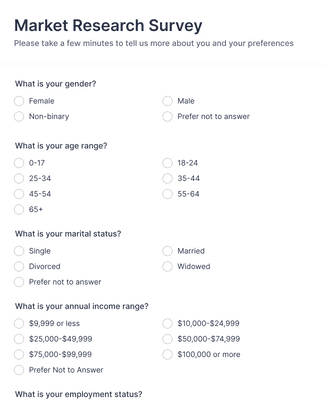
マーケットリサーチ調査
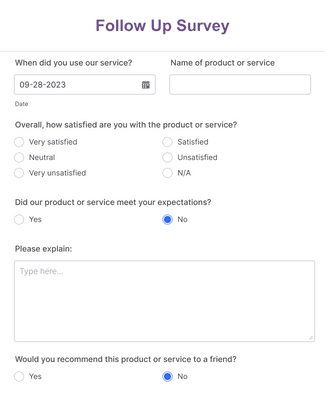
Follow Up Survey
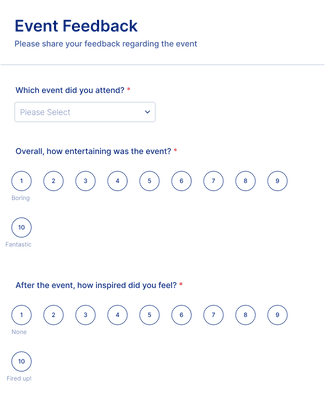
イベントフィードバックフォーム
メリット
Intuitive Interface
Build an SMS survey tool using Jotform’s drag-and-drop form builder, so you don’t need coding skills to create and launch surveys. Add and rearrange questions, adjust layouts, and customize design before sending your survey link by text message. This makes it easy to create professional SMS surveys quickly and update them as feedback needs change.
クラシックフォームとカードフォーム
Choose between classic surveys that display all questions on one page or card-style surveys that show one question at a time. Card forms can help improve completion rates because respondents focus on a single prompt per screen. Flexible layouts allow you to match the survey format to your audience and use case.
条件付きロジック
Use conditional logic to show or hide questions based on previous answers, so each SMS survey feels more relevant to the respondent. Personalized question paths reduce unnecessary prompts and keep surveys shorter. This targeted approach can improve response quality and completion rates.
Mobile-friendly Surveys
すべてのSMSアンケートリンクは、スマートフォン・タブレット・パソコンで利用できるモバイル対応フォーム を開きます。回答者はアプリをダウンロードすることなく、SMSを受信してすぐにアンケートに回答できます。モバイルに最適化された体験により、どこからでも簡単に参加でき、回答率の向上にもつながります。
回答の収集と管理
SMSアンケートの回答はJotformテーブル で確認・整理できます。送信されたデータは自動的に構造化されたワークスペースに反映されます。ファイルを書き出すことなく、スプレッドシートのような画面で検索・フィルター・データ分析が可能です。回答を一元管理することで、傾向の把握やフィードバックへの迅速な対応がしやすくなります。
ビジュアルレポートの作成
SMSアンケートの回答は、Jotformレポート作成ツール を使ってグラフやデータサマリーとして可視化できます。自動生成される棒グラフ、円グラフ、回答テーブルにより、結果をひと目で把握できます。視覚的なレポートによって、別途分析ツールを使うことなく、より迅速な意思決定をサポートします。
ユーザーの声
Jotformに関するユーザーの声
Jotformでアンケートを作成する方法
Jotformでカスタムアンケートを作成する方法を動画でご紹介します。

よくある質問
Jotformに関するご質問にお答えします。よくあるご質問はFAQをご覧ください。またはサポートチームまでお問い合わせください。
What is an SMS survey?
An SMS survey, also known as a text survey or short message service survey, is a type of survey that users can fill out on their mobile devices. SMS surveys are sent by companies or individuals that are looking to conveniently poll their users on their mobile devices.
How do SMS surveys work?
SMS surveys function as an easy way for clients or customers to submit survey responses on their mobile devices. To send out SMS surveys, you can either create your own and copy-paste the link to an outgoing text message or use a specialized SMS survey tool to have users fill out surveys by directly responding via text message.
What kinds of surveys can be conducted via SMS?
SMSを使ったアンケートは、あなたの組織のニーズ次第で、あらゆる種類のアンケートを実施することができます。Jotformでは、ドラッグ&ドロップでアンケートを作成できるので、ゼロからアンケートを作成することも、10,000種類以上のテンプレートを使ってアンケートを作成することも可能です。Jotformなら数クリックでSMSアンケートを作成、カスタマイズ、共有する事ができます。
What are the key steps to executing successful SMS surveys?
The key steps to executing successful SMS surveys are:
- Outlining survey goals
- Identifying your survey audience
- Writing appropriate questions
- Making your survey user-friendly
- Choosing the best time to send your survey
- Following up with your survey takers
- Analyzing data to inform future actions and goals
What are the benefits of SMS surveys?
SMS surveys are a great way to poll audiences because they’re efficient and convenient. Because SMS surveys go straight to users’ mobile or tablet devices, users can fill them out right then and there.
Additionally, by using an all-in-one survey builder like Jotform, you can also track and manage your SMS survey responses straight from your Jotform account — perfect for both sending and organizing your SMS surveys.
How can I send a survey through text?
To send a survey through text, all you need to do is get the complete URL of your survey and send it to your users via text. To do this, open up the Form Builder and click the Publish button. Under the Quick Share tab, click the Copy Link button to copy the form URL. That’s all! Simply send the copied link to your users via text.
Who can use SMS surveys?
Anyone with a mobile device can use SMS surveys.