Jotform makes it easy to manage your email preferences so you”ll only receive the updates that matter to you. You can subscribe or unsubscribe from Jotform’s newsletters anytime through your account settings.
Whether you want to stay informed about new features, tips, and promotions, or reduce the number of emails you receive—you’re in control. Here’s how:
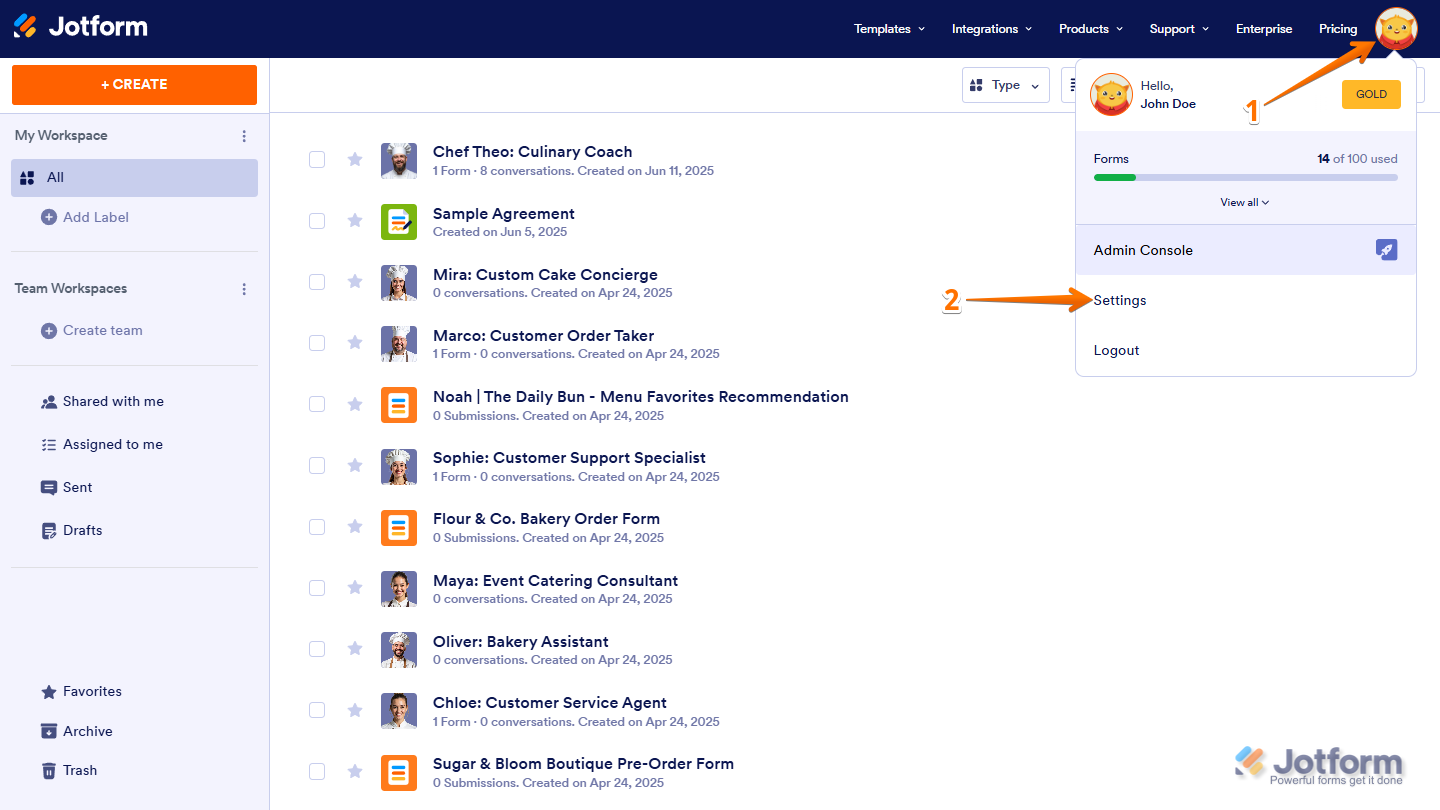
- On your Workspace page, click on your Avatar/Profile icon in the top-right corner of the screen.
- Then, in the menu that opens, click on Settings.
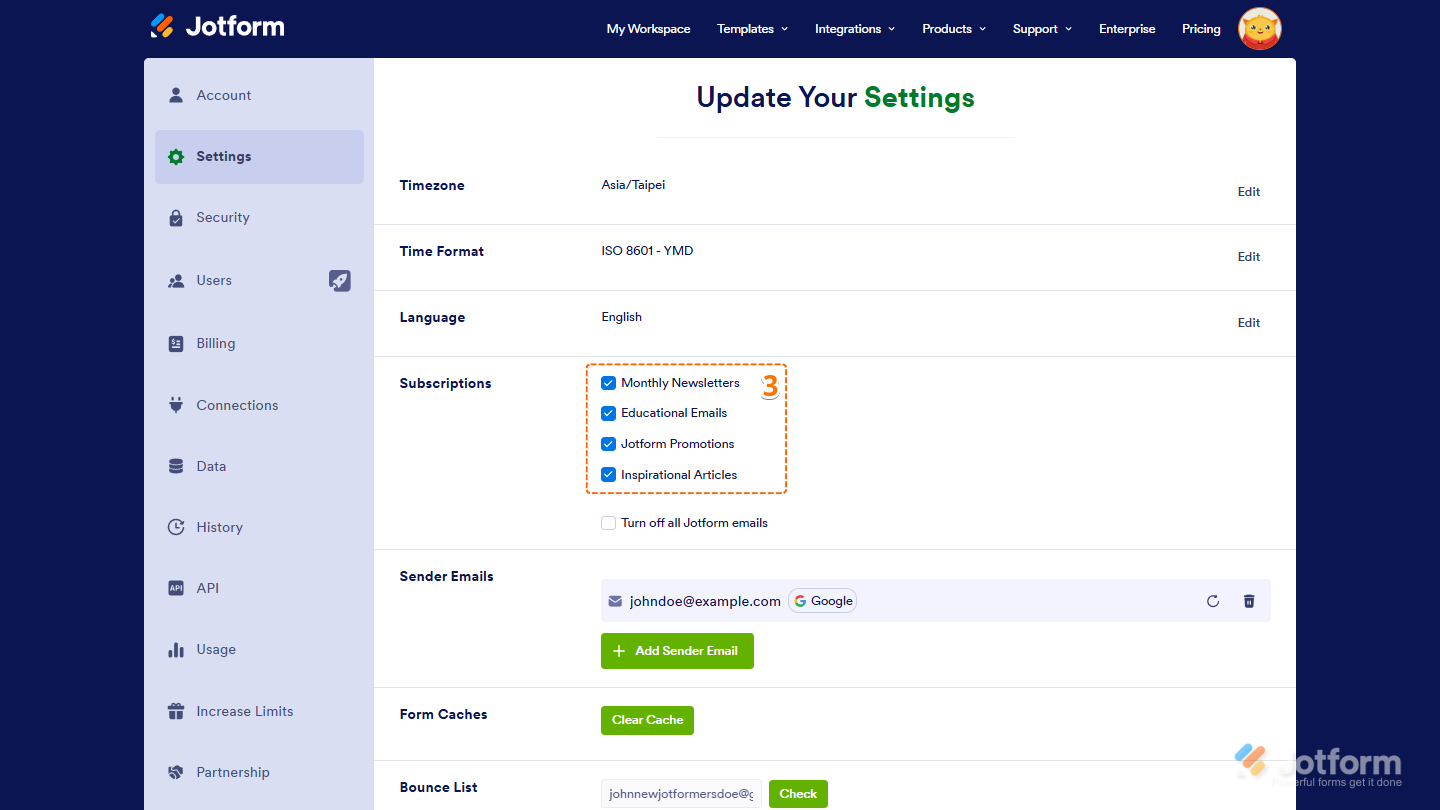
- Now, in the Subscription section, check the Newsletters item you want to subscribe to, or uncheck it if you want to unsubscribe, and you’re all set.
- Monthly Newsletters — Get the latest Jotform updates, feature releases, and product news.
- Educational Emails — Receive helpful guides, tutorials, and best practices to make the most out of Jotform.
- Jotform Promotions — Stay updated on special offers, discounts, and limited-time deals.
- Inspirational Articles — Explore success stories and creative ways other users are making the most of Jotform.
That’s it! You’ve successfully updated your email preferences. Whether you choose to stay in the loop or keep your inbox light, you can adjust your Jotform newsletter settings anytime.

Send Comment:
2 Comments:
More than a year ago
Doesnt Work! Did all the process ang still getting emails.
More than a year ago
I wish to unsubscribe but have blocked your e mails so the reminder e mail for my log in details is not appearing. Please unsubscribe...